Wearable & Lifelogging Cameras
The Best Lifelogging Camera in 2026
Most lists confuse action cameras with lifeloggers. They're not the same. Here's what an actual lifelogging camera looks like in 2026, and what to buy.
If you Google “best lifelogging camera” in 2026, the first three results will hand you a GoPro. That’s wrong. A GoPro is a wonderful tool for a specific kind of person doing a specific kind of thing, and that person is not lifelogging. So before we recommend anything, we need to fix the question.
What “lifelogging” actually means
Lifelogging is passive capture. You put on a small camera in the morning, you do your day, and at some point later you look at what it saw. You did not decide which moment was worth recording, because the whole point is that you don’t know in advance. Lifelogging is the opposite of cinematography. It’s closer to journaling than to filmmaking.
Four things define it:
- Automatic. No button to press. The camera decides when to fire, usually on a fixed interval.
- All-day. Hours, not minutes. A two-hour battery isn’t lifelogging; it’s a long take.
- Low-decision. You should be able to forget you’re wearing it. If you have to fiddle with it, you’ll stop wearing it.
- Organized later. A dump of 1,400 photos is a problem, not a memory. Something has to sort it.
A GoPro fails three of those four. A Ray-Ban Meta fails one and a half. A smartphone passes if you set it up right and concede battery. And the original Narrative Clip, the device this site is named for, passed all four. Which is exactly why people still ask whether anyone has built its replacement.
The bar the Narrative Clip set
We’ve written the long history elsewhere (see the Narrative Clip page for the full story). The short version: in 2014, a small Swedish team shipped a 36 mm square, 20-gram clip with no display, no shutter button, and 8 GB of storage. It took a photo every 30 seconds, all day, for two days on a charge. You plugged it into a computer, the companion app uploaded the photos, and the cloud sorted them into “moments” you could browse on your phone the next morning.
It was not perfect. The cloud was eventually shut down in 2016, which killed the device’s most important feature and is a lesson we’ll come back to. But as a product idea, the Clip set a bar no current consumer device clears in one box.
The closest hardware in 2026
There are roughly two viable hardware paths today, and a third we’ll mention briefly. Neither of the first two is a one-to-one replacement.
Insta360 GO 3S — the form-factor heir
Insta360 GO 3S
The closest modern relative to the Narrative Clip's everyday wearability — 4K, magnetic clip, and a separate dock for longer captures.
Best for: Hands-free lifelogging and POV creators who want the smallest possible 4K camera.
Review note: The strongest Narrative Clip-style recommendation because it combines a tiny magnetic body, usable 4K footage, and an offline file workflow when you want one.
Pros
- Pebble-sized, ~39 g — clips magnetically through clothing
- 4K/30 video and FlowState stabilization
- Action Pod dock works as a remote viewfinder and extends battery
- IPX8 splash and shallow-water rating on the core unit
Cons
- Battery on the core unit is short on its own — best paired with the dock
- Wide fixed lens; no optical zoom
- Editing flow assumes the Insta360 app
The GO 3S is the camera people are usually reaching for when they imagine a modern Narrative Clip. It’s a 39-gram magnetic pebble that clips to clothing, mounts on a hat, or sits in a pocket dock called the Action Pod that doubles its battery and gives you a viewfinder.
The good: it’s tiny, it shoots 4K, the FlowState stabilization is excellent, and Insta360’s cloud is optional, not required. You can pull files off it manually and never sign in. That alone puts it ahead of most competitors for a privacy-minded buyer.
The honest caveat: the GO 3S is not an interval shooter out of the box the way the Clip was. It can be set to time-lapse, which is the nearest equivalent, but it is fundamentally a video camera that supports stills, not a stills camera that ignores video. Battery on the core unit alone is under an hour. You will live with the Action Pod, or you’ll live with a power bank.
It’s the best hardware answer we have. It is not the same answer.
Ray-Ban Meta — the wear-anywhere heir
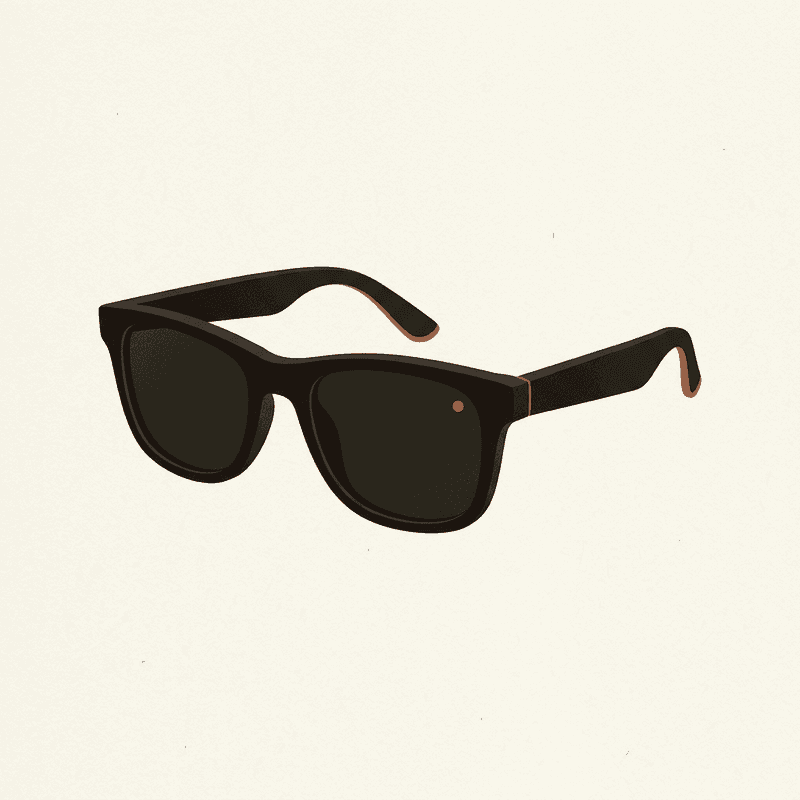
Ray-Ban Meta Smart Glasses
A socially acceptable hands-free camera you can wear daily — quality is good, but cloud and AI features lean on Meta accounts.
Best for: Daily wearers who want POV photos and short clips without holding a camera.
Review note: The best daily-wear option for quick POV photos and short clips, held back by Meta account dependence and limited local-first control.
Pros
- 12 MP ultrawide; up to 1080p video
- Capture LED signals recording to bystanders
- Works as Bluetooth headphones and AI assistant
- Looks like normal sunglasses
Cons
- Short clips only; not designed for hours of continuous capture
- Tied to Meta View app and account
- Limited control over local-only workflows
If the GO 3S is the spiritual heir to the Clip’s clothes-clip, the Ray-Ban Meta glasses are the heir to the wear-anywhere feel. Nobody looks twice at sunglasses. They sit on your face for hours without you remembering they’re there. The 12 MP ultrawide takes surprisingly competent stills, and the capture LED, which is mandatory and visible, is the right answer to the consent question the Clip never solved.
But there’s a problem, and it’s not small: the Meta glasses require a Meta View app, a Meta account, and a cloud workflow you do not control. The glasses cannot be used in a meaningful lifelogger workflow without that pipeline. They’re also not designed for continuous capture. You tap to take a photo or a short clip. There is no “shoot a frame every 30 seconds, all day, and hand me the file” mode.
They are a daily-wear capture device. They are not a lifelogger in the strict sense. We list them here because for many readers, “smart glasses I forget I’m wearing” is closer to what they actually want than “tiny clip-on box.”
Honorable mention: small body cams for creators
If you’re a creator more than a lifelogger, the conversation shifts. We cover that case in body camera for creators. Short version: the GoPro HERO 13 Black and the DJI Osmo Action 5 Pro are the right tools for that job, and the wrong tools for this one.
The closest software in 2026
The other path is the one most people end up on whether they planned to or not: lifelog with the phone you already own.
Modern iPhones and Android phones can be configured to take an interval photo, geotag it, and back it up to a local NAS or a cloud service you choose. Apple Photos and Google Photos both do machine-learning organization on the resulting pile: people, places, “trips,” “moments.” It is not perfect — the auto-album quality is uneven and the cloud bills add up — but it is the closest thing to the Clip’s “see the day, sorted, the next morning” experience that exists.
For the obsessive end of this audience there’s Immich, an open-source, self-hosted photo manager that runs on a home server and does face recognition, geotagging, and timeline browsing without sending anything to a third party. It is more work than Google Photos. It is also yours forever, which the Narrative cloud famously was not.
The hardware side of the phone path is unglamorous: a clip-on lanyard case, or a chest harness if you’re walking a lot. Battery is the limiting factor. Plan around an external pack.
Local backup checklist
A photo archive that lives only on a vendor's cloud is a photo archive waiting to disappear. Use the 3-2-1 rule: three copies, two media, one off-site.
For a longer walkthrough see how to back up lifelogging photos and local-first photo storage.
What 2026 doesn’t have
It is worth saying plainly. No device on sale today does the full Narrative Clip job in one box. Not the GO 3S, not the Meta glasses, not any startup we’d stake the site’s credibility on. The closest we have is “GO 3S in interval mode plus a third-party gallery app,” or “phone in a clip case plus auto-capture plus Immich.” Both of those are kits, not products.
This is a real gap in the market. Several startups have tried; most have shipped late, run out of money, or — like the original Clip — built a cloud-dependent product that became a brick when the bills stopped getting paid.
Our pick if you must buy hardware: Insta360 GO 3S, configured deliberately
If you want a wearable to lifelog with and you’d rather buy than DIY, here is how we’d set it up.
- Buy the kit with the Action Pod. The core unit’s battery isn’t enough alone. The Pod doubles it and gives you a viewfinder when you need one.
- Set the time-lapse interval to something you’d actually look at. The Clip used 30 seconds. We’ve found 60 seconds is friendlier to storage and to your future self trying to scroll a day. Test for a week, adjust to taste.
- Carry a small external power bank. A 10,000 mAh brick will keep the Pod alive through a full day of intermittent capture.
- Decide your SD strategy on day one. Pull files to a computer every night. Back them up the same week. Do not let two months pile up on a 128 GB card.
- Use the Insta360 app for capture, and a different gallery for archive. Apple Photos, Immich, or even a dated folder structure on disk. Don’t let one vendor own the timeline.
That’s the buyable answer. It is not as good as the Clip was. It is the best we have.
Our pick if you’d rather not buy anything new
Use your phone.
A clip-on lanyard case (the Peak Design ones are good; cheaper imitators exist), an auto-capture or interval-shooting app, and a 3-2-1 backup plan. Three copies of the photos, two different media, one off-site. You already own the camera. You probably already own the storage. What you don’t have, yet, is the discipline to actually use them.
For most readers asking the lifelogging question, this is the honest recommendation. It costs $30, not $400. You can always graduate to hardware later if the habit sticks.
The cloud honesty section
We mark cloud dependence as a downside in every product review on this site, and we are about to do it again. Here is why.
The Narrative Clip’s hardware still physically works, in some sense, for owners who never threw theirs out. But the device is useless. The cloud was the brain. When the cloud went away in 2016, the body had nowhere to send its photos and no way to sort them. People who hadn’t downloaded their archives in time lost them.
This is not ancient history. It is the predictable outcome of building a consumer device whose core function lives on someone else’s server. The Ray-Ban Meta glasses are vulnerable to the same failure mode, and so is any AI-pin or smart-glasses product launching in 2026 with “cloud sync” as a flagship feature. We are not saying don’t buy them. We are saying: before you buy, ask whether you’d still want it if the company shut the service tomorrow. If the answer is no, that is a real risk you are pricing in.
Side-by-side
Compare wearable cameras
Swipe sideways to see all columns →
| Camera | Best for | Resolution | Battery | Mounting | Cloud | Approx. price | Buy |
|---|---|---|---|---|---|---|---|
| Insta360 GO 3S Insta360 | Hands-free lifelogging and POV creators who want the smallest possible 4K camera. | 4K/30 | 0.65 h | Magnetic clip | Optional | $400 | Check price ↗ |
| GoPro HERO 13 Black GoPro | Creators who need a single durable camera for vlogs, sports, and occasional hands-free use. | 5.3K/60 | 1.5 h | Multi-mount | Optional | $400 | Check price ↗ |
| DJI Osmo Action 5 Pro DJI | Creators who shoot long sessions and want better battery and low-light than GoPro. | 4K/120 | 3 h | Multi-mount | Optional | $350 | Check price ↗ |
| Ray-Ban Meta Smart Glasses Ray-Ban / Meta | Daily wearers who want POV photos and short clips without holding a camera. | 1080p/30 | 4 h | Glasses | Required | $300 | Check price ↗ |
| AKASO Brave 7 AKASO | Budget-conscious buyers and first wearables for kids/family. | 4K/30 | 1.5 h | Multi-mount | Optional | $140 | Check price ↗ |
| DJI Osmo Pocket 3 DJI | Travel vloggers who want stabilized, low-light-capable footage without a wearable. | 4K/120 | 1.6 h | Multi-mount | Optional | $520 | Check price ↗ |
Prices and specs are publisher estimates — verify at the retailer before buying.
Where this leaves us
The best lifelogging camera in 2026 is a question with no clean answer, because the product category has been allowed to drift toward action cams and smart glasses, neither of which is doing what a lifelogger is supposed to do. The Insta360 GO 3S is the closest hardware. Your phone, configured carefully, is the closest software. Neither is the Clip.
We’d love to be wrong about this in a year. If a small team is reading and wants to build the actual successor — passive, local-first, all-day, sortable, and not dependent on a cloud you can shut down — write to us. We’ll cover it fairly.
Frequently asked questions
Is there a real Narrative Clip successor in 2026?
No. Nothing on the market today does the full Narrative Clip job out of the box: a tiny, button-free pebble that takes a photo every 30 seconds, all day, and hands a sorted album to your phone the next morning. The Insta360 GO 3S is the closest hardware. Your smartphone is the closest software.
What's the difference between a lifelogging camera and an action camera?
An action camera is a tool you turn on for an event: a ride, a dive, a vlog take. A lifelogging camera is the opposite. You forget it's there. It captures passively for hours, without decisions, and you sort the result later. A GoPro can record all day in theory; nobody actually wears one all day in practice.
Can I lifelog with just my phone?
Yes, and for most people it's the right answer in 2026. A clip-on phone harness plus an auto-capture or interval-shooting app gets you 80 percent of the Clip experience without buying a new device. The catch is battery and the social friction of obviously holding up a phone.
What's the smallest wearable camera in 2026?
The Insta360 GO 3S core unit, at roughly 39 grams, is the smallest mainstream wearable camera with serious specs. The Ray-Ban Meta glasses are heavier overall but disappear into a sunglasses form factor, which is a different kind of small.
Do any lifeloggers work without a cloud account?
The Insta360 GO 3S can be used cloud-free if you transfer files manually and edit in something other than the Insta360 app. The Ray-Ban Meta glasses cannot — Meta View and a Meta account are required. We mark cloud dependence as a downside in every product we cover.
How much storage do you need for a day of lifelogging?
At one photo every 30 seconds for 12 waking hours, you're looking at about 1,440 photos a day. At 5–10 MB each you'll burn 7–15 GB a day in stills. Continuous 4K video is in a different universe: budget 50–60 GB per hour. This is why the original Clip stayed in stills.