Narrative Clip Archive
Can You Still Use a Narrative Clip in 2026?
Yes — sort of. The hardware still takes photos; the cloud and apps are gone. Here's exactly what works, what doesn't, and how to get photos off a working unit.
Yes, kind of. If you have a Narrative Clip in a drawer, or you just bought one off eBay for $30, it almost certainly still turns on and still takes pictures. What you can’t do is use it the way the box promised in 2014. The cloud is dead. The apps are gone. The auto-curated albums and the timeline and the search — all server-side, all retired in 2016.
So the honest answer is: it’s a camera now. A small, mildly eccentric camera with no screen and no shutter button. That’s it.
What still works
The hardware itself is surprisingly robust. The original Clip and the Clip 2 were small sealed pebbles with a single tap-sensor on the front, an internal lithium battery, and 8 GB of onboard flash. None of that needed the internet.
Plug a charged Clip into USB, walk around, and it does the thing it was built to do: a 5 MP photo every 30 seconds on Clip 1, or 8 MP on Clip 2, with a wider lens. Tap the front to force an extra shot. Battery still lasts roughly the original windows — two days on Clip 1, around 30 hours on Clip 2 — though if your unit is ten years old, the cell has aged and you should expect less.
Photos write to internal storage. The Clip will quietly fill up its 8 GB (about 6,000 JPGs on Clip 1) and then start refusing new captures, or wrap, depending on firmware.
What doesn’t
Everything else.
The Narrative iOS and Android apps were the only sanctioned way to view, sort, or share your photos. Both apps are gone from the stores. Even the sideload-an-old-IPA route runs into a brick wall, because the apps were designed to authenticate against narrative.so and friends, and there’s nothing on the other end of that handshake anymore.
That means no timeline view. No “moments.” No on-device culling. No face grouping. No auto-albums. No sharing to a public link. No location overlay using the Clip 2’s GPS data unless you can read the EXIF yourself.
The Clip was a camera that outsourced its brain to a server. The server is gone. The camera is fine.
How to get photos off a working Clip
This is the part most people actually need. Cable, mount, copy.
- Charge the Clip with its original USB cable (or any matching one) for at least an hour. Old lithium cells are slow to wake up.
- Plug it into a Mac, Windows, or Linux machine via USB.
- On most units it appears as a USB mass storage volume, similar to a tiny flash drive. The photos live in a folder on the device — usually under a
DCIM-style or vendor-named directory, depending on firmware. - Copy everything off. Don’t move. Copy. Verify the files open before you do anything else to the device.
- Only after you have a verified backup somewhere safe, consider deleting from the Clip to free space.
A few hedges. Clip 1 and Clip 2 don’t behave identically. Some firmware revisions, particularly very early Clip 1 units, were less cooperative about mounting cleanly. If your unit shows up as an unrecognized device, search community threads (Reddit’s r/lifelogging is the longest-running gathering point) before you start running disk-repair tools on it. We’ve seen people brick functional units by trying to “fix” them with diskutil and friends.
Don’t format. Just don’t. Even if the Mac asks nicely.
What to do with the photos
Once you’ve copied the folder over, you’re holding a pile of JPGs with EXIF timestamps. Treat them like any old photo archive.
Local backup checklist
A photo archive that lives only on a vendor's cloud is a photo archive waiting to disappear. Use the 3-2-1 rule: three copies, two media, one off-site.
For a longer walkthrough see how to back up lifelogging photos and local-first photo storage.
If you want them searchable and date-sorted, drop them into Apple Photos or Google Photos and let the import handle the timeline. Both will read the EXIF date so a 2015 photo lands in 2015. If you want to keep them off the big clouds, Immich is the self-hosted option people seem happiest with right now; it does face grouping and search on your own hardware.
The photos themselves are modest. 5 or 8 megapixels, no stabilization, wide fixed lens, often poorly exposed because the Clip didn’t know it was pointing at the floor. That was always the trade. The point wasn’t quality; it was coverage. A decade later that coverage is a small archive of a year of your life, which is more interesting than the photos deserve to be.
Should you buy a used one?
No, not as a working camera. Yes, possibly, as a curio.
The going rate on eBay sits in the $20-to-$80 range depending on condition, packaging, and whether you’re buying Clip 1 or Clip 2. At the low end it’s a fun object to take apart or display. At the high end you’re paying real money for something that does less than your phone’s lock-screen camera. We’d buy one for the bookshelf. We wouldn’t buy one to actually wear.
If you want to actually wear a tiny camera, the market has moved on.
Modern alternatives
Nothing on sale today is a 1:1 replacement for the Clip’s “two photos a minute, all day, organized for you” pitch. The closest in form factor is the Insta360 GO 3S — a pebble-and-dock setup that you can clip magnetically through a shirt. The closest in social wearability is the Ray-Ban Meta, which puts the camera in glasses with a required capture LED.

Insta360 GO 3S
The closest modern relative to the Narrative Clip's everyday wearability — 4K, magnetic clip, and a separate dock for longer captures.
Best for: Hands-free lifelogging and POV creators who want the smallest possible 4K camera.
Review note: The strongest Narrative Clip-style recommendation because it combines a tiny magnetic body, usable 4K footage, and an offline file workflow when you want one.
Pros
- Pebble-sized, ~39 g — clips magnetically through clothing
- 4K/30 video and FlowState stabilization
- Action Pod dock works as a remote viewfinder and extends battery
- IPX8 splash and shallow-water rating on the core unit
Cons
- Battery on the core unit is short on its own — best paired with the dock
- Wide fixed lens; no optical zoom
- Editing flow assumes the Insta360 app
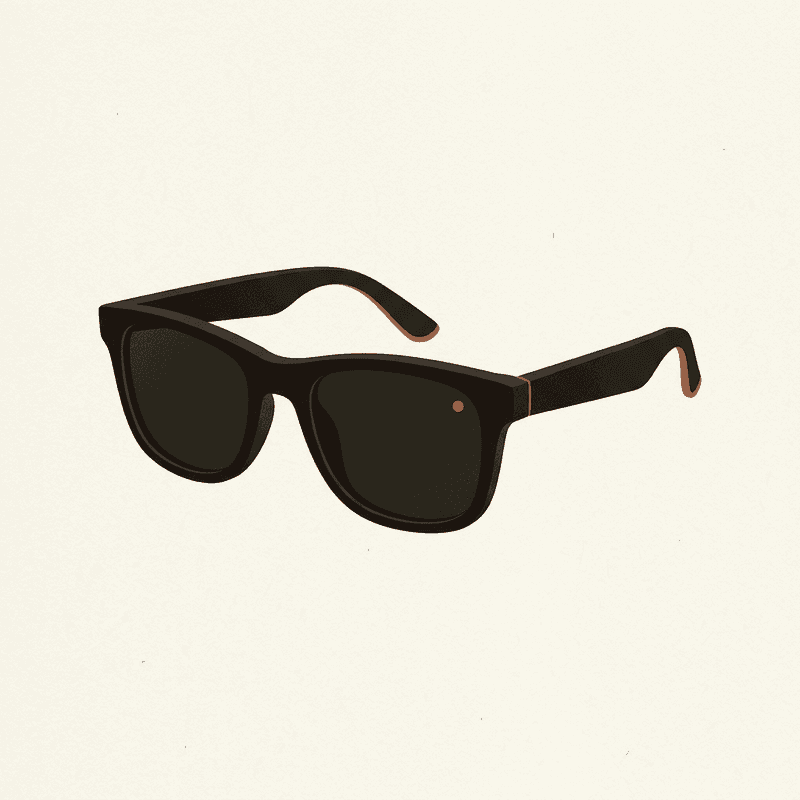
Ray-Ban Meta Smart Glasses
A socially acceptable hands-free camera you can wear daily — quality is good, but cloud and AI features lean on Meta accounts.
Best for: Daily wearers who want POV photos and short clips without holding a camera.
Review note: The best daily-wear option for quick POV photos and short clips, held back by Meta account dependence and limited local-first control.
Pros
- 12 MP ultrawide; up to 1080p video
- Capture LED signals recording to bystanders
- Works as Bluetooth headphones and AI assistant
- Looks like normal sunglasses
Cons
- Short clips only; not designed for hours of continuous capture
- Tied to Meta View app and account
- Limited control over local-only workflows
Both record video, not just stills, and both lean on a companion app. Neither does the original Clip’s automatic 30-second-interval thing out of the box, though the GO 3S has interval modes you can rig into something close.
Compare wearable cameras
Swipe sideways to see all columns →
| Camera | Best for | Resolution | Battery | Mounting | Cloud | Approx. price | Buy |
|---|---|---|---|---|---|---|---|
| Insta360 GO 3S Insta360 | Hands-free lifelogging and POV creators who want the smallest possible 4K camera. | 4K/30 | 0.65 h | Magnetic clip | Optional | $400 | Check price ↗ |
| GoPro HERO 13 Black GoPro | Creators who need a single durable camera for vlogs, sports, and occasional hands-free use. | 5.3K/60 | 1.5 h | Multi-mount | Optional | $400 | Check price ↗ |
| DJI Osmo Action 5 Pro DJI | Creators who shoot long sessions and want better battery and low-light than GoPro. | 4K/120 | 3 h | Multi-mount | Optional | $350 | Check price ↗ |
| Ray-Ban Meta Smart Glasses Ray-Ban / Meta | Daily wearers who want POV photos and short clips without holding a camera. | 1080p/30 | 4 h | Glasses | Required | $300 | Check price ↗ |
| AKASO Brave 7 AKASO | Budget-conscious buyers and first wearables for kids/family. | 4K/30 | 1.5 h | Multi-mount | Optional | $140 | Check price ↗ |
| DJI Osmo Pocket 3 DJI | Travel vloggers who want stabilized, low-light-capable footage without a wearable. | 4K/120 | 1.6 h | Multi-mount | Optional | $520 | Check price ↗ |
Prices and specs are publisher estimates — verify at the retailer before buying.
If you came here hoping the Clip could be brought back: it can’t. If you came here hoping the photos already on yours are recoverable: probably yes, with a cable and an afternoon. That’s the trade we got.
Frequently asked questions
Does the Narrative Clip still work?
The hardware works. It powers on, it clicks a photo every 30 seconds (Clip 1) or thereabouts (Clip 2), and it stores those photos on its internal flash. What stopped working in 2016 was everything around it: the cloud, the apps, the auto-album generation, the search.
Can I install the Narrative companion app on my current phone?
No, not in any reliable way. The app was pulled from the App Store and Google Play after Third Dot wound the service down, and even if you sideload an old build, it can't authenticate against a cloud that no longer exists.
How do I get photos off a working Clip?
Plug it into a Mac or PC over USB. On most units it presents as USB mass storage and you can copy the JPGs out of the device folder directly. Some older firmware revisions are fussier, so back up before you reformat anything, and check community threads if your unit doesn't mount cleanly.
Will Narrative ever come back online?
Almost certainly not. Narrative AB and its successor Third Dot wound the service down in 2016, and the IP has not resurfaced as a working product since. Treat the cloud as permanently offline.
Can I sell or recycle a working Clip?
You can sell one as a collector's item — there's a small market on eBay — but be honest with the buyer that it's hardware-only. For recycling, treat it like any small lithium-battery device and use an e-waste drop-off rather than household trash.
Is there any third-party firmware for the Clip?
Not that we've been able to verify. Various hobbyists poked at the device over the years, but there's no maintained alternative firmware or open-source app that gives the original cloud experience back. If that changes we'll write about it.