Privacy, Ethics & Practical Use
Travel Lifelogging: Capture the Trip, Not the Camera
How to lifelog a trip — what to pack, what to capture, where to leave the camera at home, and how to organize a week of footage when you get back.
It’s 8 a.m. in the Alfama district of Lisbon. The hotel keys are on the desk, the espresso is half-finished, and the only real decision left is which camera goes in which pocket. The wrong answer is “all of them.” The right answer changes by the day.
Travel is where a wearable camera actually earns its keep. It’s also where most people over-shoot, fill an SD card with footage they will never watch, and quietly ruin a dinner by leaving a recording light on across the table. This guide is about getting the first part without the second.
The trip kit
After a few years of trying every permutation, the kit that actually works for a one-to-two-week trip is small:
- A phone. Whichever one you already carry.
- One small wearable — the Insta360 GO 3S for the magnetic-clip lifelog format, or the Ray-Ban Meta glasses if you want POV without anything on your shirt.
- A 10,000 mAh power bank with one short USB-C cable.
- One SD card per week of travel, plus a small SSD if you’re paranoid.
That’s it. No tripod. No second camera “in case.” The GoPro HERO 13 Black and the DJI Osmo Action 5 Pro are both terrific cameras, but they’re heavy and they look like cameras, which changes how strangers treat you on a sidewalk. Save them for a hiking trip. The GO 3S earns its spot in the kit:

Insta360 GO 3S
The closest modern relative to the Narrative Clip's everyday wearability — 4K, magnetic clip, and a separate dock for longer captures.
Best for: Hands-free lifelogging and POV creators who want the smallest possible 4K camera.
Review note: The strongest Narrative Clip-style recommendation because it combines a tiny magnetic body, usable 4K footage, and an offline file workflow when you want one.
Pros
- Pebble-sized, ~39 g — clips magnetically through clothing
- 4K/30 video and FlowState stabilization
- Action Pod dock works as a remote viewfinder and extends battery
- IPX8 splash and shallow-water rating on the core unit
Cons
- Battery on the core unit is short on its own — best paired with the dock
- Wide fixed lens; no optical zoom
- Editing flow assumes the Insta360 app
The shooting rhythm
A wearable camera is at its best in the spaces between the things you’d already photograph. Walking out of the metro. The first bite of pastel de nata. Your friend mid-laugh about a wrong turn. Boats on a river at sunset that nobody is staging.
A rough rhythm that works:
- Capture on transit (trams, trains, the cab from the airport), in scenic outdoor walks, at food stalls where you have permission, and around the people in your own group.
- Put it away inside museums and churches (look for the signs, they exist for a reason), in taxis after dark, during dinners with locals you’ve just met, and any time someone in your party asks you to.
The single best habit is a hard rule: when you sit down for a real meal with people, the camera comes off. Not paused. Off and on the table or in the bag. The footage you get from a wearable at dinner is not interesting. The conversation you didn’t have because the light was blinking is.
Privacy norms abroad
American photographers tend to assume that anything in public is fair game. This is not the global default. France and Spain both have stricter traditions around the droit à l’image — the right to your own likeness — and a clearly identifiable face in a clearly recorded video can be a problem even in a public square. Germany treats personal likeness rights seriously enough that street photography norms differ noticeably from the US. Japan has strong cultural conventions around photographing strangers, and many temples and shrines post explicit no-recording rules.
The practical version: don’t film identifiable strangers in close-up, watch for posted signs, and stop the moment anyone gestures at you. We wrote a longer piece on the legality side at /is-lifelogging-legal/ — worth a read before the flight.
Backing up while traveling
The single worst feeling on a trip is realizing on day six that day three is gone. The fix is a boring three-step ritual you do before bed:
- Offload that day’s footage from the camera to your phone via the manufacturer’s app.
- Once on hotel Wi-Fi, push the day’s folder to whichever cloud you trust (iCloud, Google Photos, Dropbox).
- If you brought an SSD, also copy to the SSD and keep it in a different bag from the camera.
That’s three copies in two locations, which is the minimum if you actually care about the footage. The hotel Wi-Fi step is the one people skip; don’t.
Local backup checklist
A photo archive that lives only on a vendor's cloud is a photo archive waiting to disappear. Use the 3-2-1 rule: three copies, two media, one off-site.
For a longer walkthrough see how to back up lifelogging photos and local-first photo storage.
The post-trip ritual
Give it a week. Then sit down on a Sunday and do the work:
- Cull. Most footage is not worth keeping. Be ruthless. A week of 4K cut to ten favorite clips and forty stills is a successful trip archive.
- Label. City, date, one or two keywords. That’s it. Your future self will not remember which alley.
- Share. One small album for the people you traveled with, while it still feels recent.
- Archive. Move the rest off the laptop and onto two separate drives or two separate clouds. Then forget about it until the next trip.
The bigger the unprocessed pile gets, the less likely you are to ever open it. A week of disciplined captures plus an hour of Sunday culling is worth more than three months of footage you never touch.
Recommended setup
For the wearable, the pick is the GO 3S. It clips through a jacket, the magnet survives airports, and the Action Pod doubles as a remote viewfinder when you actually do want to compose a shot. For the full breakdown — battery, privacy notes, and the honest caveats — see the GO 3S card above.
For travelers who want hand-held quality and don’t care about hands-free, the Pocket 3 is the better camera in absolute terms. It has a real 1-inch sensor, a proper gimbal, and 4K/120 — but it lives in your hand, not on your shirt, and it changes the trip accordingly.
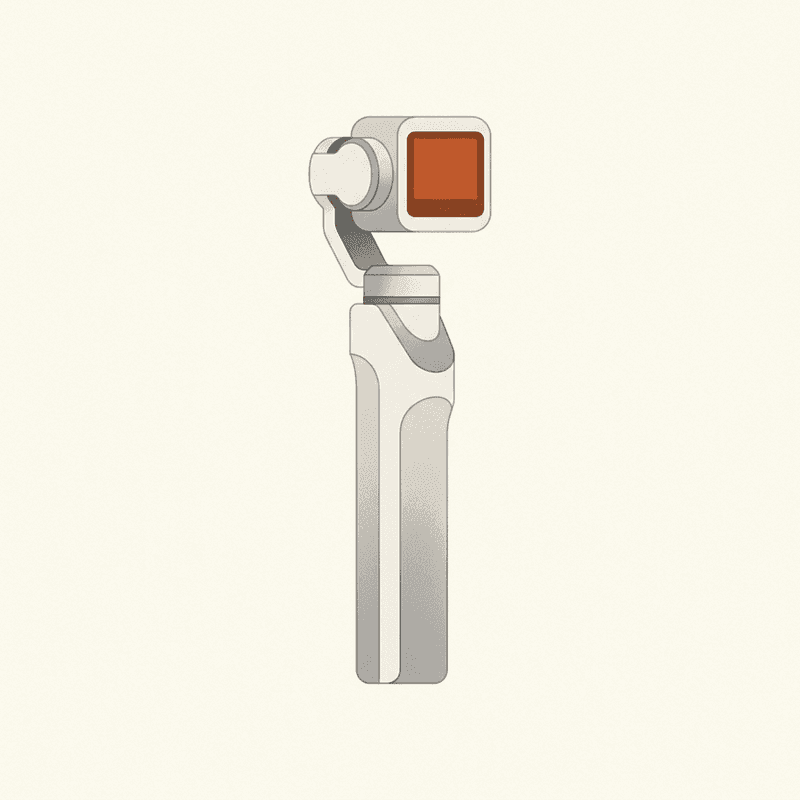
DJI Osmo Pocket 3
Not a true wearable — a pocket gimbal — but the best handheld pick for travel-vlog footage.
Best for: Travel vloggers who want stabilized, low-light-capable footage without a wearable.
Review note: A strong travel-vlog camera with excellent stabilized footage, but it is a handheld pocket gimbal rather than a true lifelogging wearable.
Pros
- 1" sensor, 4K/120
- 3-axis mechanical gimbal
- Excellent in low light
Cons
- Not hands-free
- Larger than a lifelogger
- No real waterproof rating
Pack light. Shoot less than you think. Eat dinner without the camera. The trip you remember will be the one you were actually in.
Frequently asked questions
What's the best wearable camera for travel in 2026?
For most travelers, the Insta360 GO 3S is the right pick: 4K, ~39 g, magnetic clip, and the Action Pod dock doubles as a viewfinder and battery extender. If you want hand-held quality and don't mind something visibly camera-shaped, the DJI Osmo Pocket 3 is a better video tool. The Ray-Ban Meta glasses are the most socially graceful option for short clips.
Is it OK to wear a camera in foreign countries?
It depends on the country. France and Spain treat photographs of identifiable strangers more strictly than the US, and Germany has its own rules around personal likeness. In practice: never record in private spaces, watch for posted no-photography signs (common in churches, museums, and government buildings), and stop recording the moment anyone objects. Our companion piece on whether lifelogging is legal goes deeper.
How do I back up travel photos on the road?
Offload nightly from the camera to your phone over the manufacturer app, then push that day's folder to a cloud service while you're on hotel Wi-Fi. If you're carrying serious footage, a small bus-powered SSD (1 TB is plenty for a week of 4K) gives you a second physical copy you can keep in a different bag from the camera.
Should I bring a wearable camera at all?
Sometimes the right answer is no. Religious sites, somber memorials, and dinners with people you want to actually talk to are not lifelogging moments. The point of bringing the camera is to capture the in-between, not to film everything.
Can I just lifelog with my phone?
Yes, and for many travelers it's enough. A phone is the highest-quality camera most people own, and modern photo apps already build trip timelines automatically. The case for a wearable is hands-free capture in moments where pulling out a phone breaks the moment — walking through a market, eating with friends, riding a tram.