AI Memory & Personal Archive
Lifelogging With AI: How the Narrative Clip's Idea Finally Works
The Narrative Clip's capture-and-organize loop is, in 2026, finally possible — but split across multiple devices and AI tools. Here's how to assemble it.
If you tried to build the Narrative Clip from scratch today, you wouldn’t build one device. You’d buy three. And then you’d glue them together with an AI photo library, because the part Narrative got wrong (the cloud) is now the part everyone else got right.
The original idea was simple: capture everything, sort it later. In 2014 the capture worked and the sorting died with the company. In 2026 the sorting works beautifully, and the capture is fragmented across a wearable, a phone, and a pair of sunglasses. You can absolutely live the Narrative dream now. You just have to assemble it.
The capture layer
Pick one wearable. Two if you’re greedy.
The closest descendant to the Clip in form factor is the Insta360 GO 3S — a 39-gram pebble with a magnetic clip, shooting 4K instead of a 5-megapixel still every 30 seconds. It will not run all day on its own (the core unit’s battery is short), but paired with its Action Pod dock you can do long stretches. The cadence is different too: you’re capturing video clips and stills on demand, not a relentless every-thirty-seconds grid. That’s a feature, not a regression. Two photos a minute for twelve hours is 1,440 images you will never look at.

Insta360 GO 3S
The closest modern relative to the Narrative Clip's everyday wearability — 4K, magnetic clip, and a separate dock for longer captures.
Best for: Hands-free lifelogging and POV creators who want the smallest possible 4K camera.
Review note: The strongest Narrative Clip-style recommendation because it combines a tiny magnetic body, usable 4K footage, and an offline file workflow when you want one.
Pros
- Pebble-sized, ~39 g — clips magnetically through clothing
- 4K/30 video and FlowState stabilization
- Action Pod dock works as a remote viewfinder and extends battery
- IPX8 splash and shallow-water rating on the core unit
Cons
- Battery on the core unit is short on its own — best paired with the dock
- Wide fixed lens; no optical zoom
- Editing flow assumes the Insta360 app
The other shape of capture worth taking seriously is glasses. Ray-Ban Meta replaced the “tiny square clipped to a shirt” problem with “regular sunglasses on your face.” Quality is good for what it is — 12 MP ultrawide stills, 1080p video, four-ish hours of battery — and the capture LED satisfies most reasonable consent norms in public. The catch is that you are tethered to Meta View and a Meta account to get files off the device.
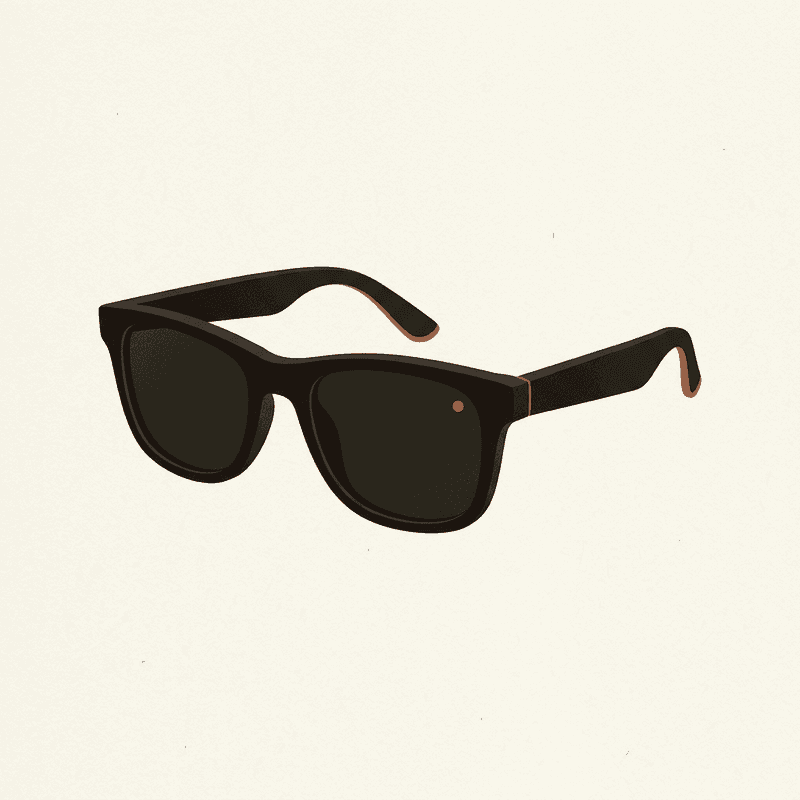
Ray-Ban Meta Smart Glasses
A socially acceptable hands-free camera you can wear daily — quality is good, but cloud and AI features lean on Meta accounts.
Best for: Daily wearers who want POV photos and short clips without holding a camera.
Review note: The best daily-wear option for quick POV photos and short clips, held back by Meta account dependence and limited local-first control.
Pros
- 12 MP ultrawide; up to 1080p video
- Capture LED signals recording to bystanders
- Works as Bluetooth headphones and AI assistant
- Looks like normal sunglasses
Cons
- Short clips only; not designed for hours of continuous capture
- Tied to Meta View app and account
- Limited control over local-only workflows
Your phone, finally, is the third capture device whether you mean it to be or not. The high-quality, in-context photos — the ones you’ll actually look at in five years — almost all come from the phone. The wearable’s job is to fill in the gaps between phone shots, not to replace them.
The storage layer
This is the part the Narrative Clip got upside down. Photos went to Narrative’s cloud first and to you second, if at all. When the cloud went dark in 2016, the photos went with it.
In 2026 the sane shape is local-first, cloud-mirrored. Wherever your photos live, you should be able to put your hands on the originals without an account login. That means iCloud Photos with Advanced Data Protection on, or Google Photos with a real downloaded archive sitting on a drive at home, or — for the technically motivated — Immich running on a small home server, ingesting from every device on the network.
Immich deserves the mention. It’s open-source, self-hostable, does its own machine-learning indexing for faces and objects, and treats your files as files. If you want the “capture everything, sort it later” promise to survive the next company shutdown, this is the shape it takes.
Local backup checklist
A photo archive that lives only on a vendor's cloud is a photo archive waiting to disappear. Use the 3-2-1 rule: three copies, two media, one off-site.
For a longer walkthrough see how to back up lifelogging photos and local-first photo storage.
The AI organization layer
Here’s where modern lifelogging finally beats the original Clip. Narrative’s cloud generated daily “moments” by squinting at GPS, accelerometer data, and similar-looking frames. It worked, sort of. It also stopped existing.
In 2026 your photo library does this work for you, and it does it better than Narrative ever could:
- Apple Photos with Apple Intelligence does face recognition, place clustering, on-device natural-language search (“dog on the beach, last summer”), and weekly Memories. Most of this is on-device, which matters if you care about privacy.
- Google Photos has had the strongest face and object search for years. The trade-off is that Google sees everything.
- Immich ships its own face recognition, smart search via CLIP embeddings, and place clustering. You run the model, you own the index.
- Meta View sorts Ray-Ban Meta captures into albums and lets the Meta AI assistant answer questions about them. The library is real but small, and you can’t pull files into it from other cameras.
None of these are perfect. All of them are better than what the Clip’s cloud ever shipped.
Retrieval, which is the whole point
The Clip’s most underrated feature was retrieval. You could ask its app for “that day at the park” and it would give you the day. Capture without retrieval is just a hard drive of strangers.
The good news is that retrieval in 2026 is the easy part. Type “park, October 2025, with my niece” into Apple Photos or Immich and it works. Ask Meta AI through the glasses what you ate on Tuesday and it’ll dig through your captures. Search by face, by place, by object, by season. This is the part of the original pitch that came true everywhere except in the device that promised it.
What’s still missing
Cross-source merging.
You can search inside Apple Photos. You can search inside Immich. You cannot, in 2026, sit down with one app, type “Lisbon, last spring,” and get the union of phone photos, GO 3S clips, Ray-Ban Meta stills, and voice notes from the same trip on a single timeline. The pieces exist; the seam doesn’t.
The workaround most people use is to dump everything into one library — usually iCloud Photos or Immich — and let it index across sources. That’s fine until a wearable’s app refuses to export cleanly (looking at you, Meta View). The single-timeline lifelog of the original Narrative pitch is, in 2026, still mostly a manual project.
A 2026 starter setup
If you want something concrete to copy:
The Apple-native version. Insta360 GO 3S as the wearable. iPhone for everything else. iCloud Photos as the library, with Apple Intelligence handling search and Memories. Turn on Advanced Data Protection so the library is end-to-end encrypted. Mirror to a local drive once a month with Image Capture or a script.
The open-source version. Ray-Ban Meta or GO 3S as the wearable. Phone of your choice. Immich on a home server (Raspberry Pi 5 is enough for a single household), pulling from every device on the LAN. Google Photos optionally as an off-site mirror, with the understanding that Google will index it.
The minimum version. Phone plus Ray-Ban Meta. Google Photos. Done. Not the lifelog of your dreams, but more capture-and-organize than the Clip ever delivered, in fewer accessories.
The Narrative Clip was right about the shape of the problem and a decade early on the solution. The solution, it turns out, was never one device.
Frequently asked questions
Can you actually do AI-powered lifelogging in 2026?
Yes, but not from one box. You pick a small wearable for capture, a phone for context, and an AI photo library (Apple Photos, Google Photos, or self-hosted Immich) to do the organizing. The Narrative Clip tried to package all three; in 2026 we assemble it ourselves.
Is there a single app that does lifelogging with AI end to end?
Not really. Meta View ingests Ray-Ban Meta footage, the Insta360 app handles GO 3S files, and your photo library does the searching. There is no universal timeline app in 2026 that merges every source into one searchable feed. People who care build their own, usually with Immich.
Does Apple Photos do enough for this on its own?
For most casual users, yes. Apple Intelligence handles on-device face and place recognition, natural-language search, and Memories. The limit is that it only sees what you import into it — and not every wearable plays nicely with iCloud Photos.
What hardware do I actually need?
At minimum: a phone, plus one wearable that fits your life. The Insta360 GO 3S is the closest spiritual successor to the Clip; the Ray-Ban Meta is the most socially wearable. Add a microSD-friendly action camera if you also want trip and sport footage.
Is any of this private?
Only if you choose it to be. Local-first stacks (Immich on a NAS, Apple Intelligence with iCloud Advanced Data Protection) keep AI processing off third-party servers. Anything tied to Meta, Google, or a vendor cloud sees your library by design.